
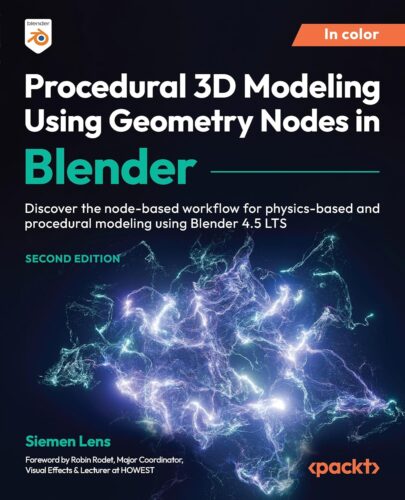
Learn Blender 4.5 Geometry Nodes to create procedural models, dynamic environments, and physics-based simulations with an easy-to-follow node-based workflow
Free with your book: DRM-free PDF version + access to Packt’s next-gen Reader*
Key FeaturesDevelop creative mathematical thinking to work on procedural projects in Blender 4.5 LTSLearn how to calculate and create your very own math-based physics simulationsFind out how you can utilize Geometry Nodes to scatter objects randomly in a sceneBook Description
Geometry Nodes are tools that enable you to manipulate and generate 3D geometry in a node-based workflow. In this updated edition, you’ll learn how to use the basic and intermediate features of Geometry Nodes that are essential for creating complex, physics-based simulations and animations in Blender 4.5 LTS.
After an introduction to the Geometry Nodes system and its inner workings, you’ll learn about different node inputs and outputs, along with the basic nodes necessary for your Geometry Nodes projects. You’ll apply your newfound knowledge through exercises that involve modifying curves, meshes, text, and more, as well as work on a range of interesting projects, including creating a procedural plant, a brick wall generator, and a procedural LED panel to explore different aspects of node-based modeling. The concluding chapters take you through a brand-new addition to Geometry Nodes called the Simulation Zone, where you’ll create various physics simulations such as a procedural fountain and bugs crawling over objects using the Geometry Node editor.
By the end of this book, you’ll be able to tackle minor to major Geometry Nodes issues with confidence and create complicated Geometry Nodes trees and complex physics simulations tailored to your needs.
*Email sign-up and proof of purchase required
What you will learnDiscover the different node inputs and outputs that Geometry Nodes have to offerGet to grips with the flow of the Geometry Nodes systemWork with Geometry Nodes use cases through fun projects that advance with each chapterLink Geometry and Material node editors using Named AttributesExplore the flow of the Simulation Zone in Blender 4.5 LTSCreate both simple and complex physics simulations mathematicallyUnderstand mathematical terms such as velocity, forces, collisions, and vectorsWork with variables in your Geometry Nodes-based workflowWho this book is for
If you are an aspiring CG artist, environment artist, or CG generalist looking to learn node-based using Geometry Nodes and simulation workflows, this book is for you. Knowledge of Blender fundamentals is required; for example, understanding the workflow of material nodes and being able to apply that knowledge to your projects. A basic grasp of physics concepts will also help you get the most out of the more complex, physics-driven projects covered in the book.
Table of ContentsAn Introduction to Geometry NodesUnderstanding the Functionality of Basic NodesMust-Have Add-Ons for Building Node TreesMaking Use of Node PrimitivesDistributing Instances onto a MeshWorking with the Spreadsheet in BlenderCreating and Modifying Text in the Geometry Node EditorEditing Curves with NodesManipulating Mesh Using Geometry NodesCreating a Procedural Plant GeneratorCreating a Procedural Brick Wall GeneratorConstructing a Procedural LED PanelTips and Tricks for the Geometry Node Editor
(N.B. Please use the Read Sample option to see further chapters)
From the Publisher
Master Procedural 3D Modeling in Blender with Geometry Nodes
Elevate your Blender expertise, streamline your workflow, and bring your procedural designs to life like never before.
Unlock the power of procedural 3D creation with the ultimate hands-on guide to mastering Blender’s most innovative workflow. From foundational geometry concepts to advanced node-based projects, you’ll create stunning, dynamic models and animations with total creative control.
Whether you’re a designer, artist, or developer, you’ll learn how to build efficient, flexible systems for modeling, texturing, and simulation all without manual sculpting. Each chapter builds practical skills through real-world exercises and projects.
Key Highlights Complete learning path: Covers everything from Geometry Node basics to advanced procedural systems. Hands-on projects: Build plants, walls, curves, simulations, and more with step-by-step guidance. Updated for 4.5: Stay current with the latest Geometry Node tools and Simulation Zone features. Creative freedom: Design complex, reusable node networks for modeling and animation.
Exercises Inside the Book
Procedural Jenga Tower
Explore Blender’s Spreadsheet editor to inspect and debug geometry data, enabling smarter and more efficient node-based modeling.
Understand how the Spreadsheet reveals mesh, curve, and point data.Master data inspection to refine and troubleshoot Geometry Nodes.Gain confidence in tracking and validating procedural changes in real time.
3D Ambigram
Learn how to create and manipulate text procedurally in Blender’s Geometry Node Editor to generate dynamic, customizable 3D designs.
Discover how to use string nodes to create, modify, and convert text data.Learn to turn text into curves and meshes, enabling procedural 3D typography.Apply techniques through a hands-on 3D ambigram project for creative, professional results.
Procedural Pyramid Generator
Create procedural meshes in Blender using Geometry Nodes to shape, modify, and combine geometry dynamically for complete modeling control.
Work with core mesh manipulation nodes such as Extrude Mesh, Mesh Boolean, and Set Position.Combine these tools with Random Value nodes for procedural variation and flexibility.Build a procedural pyramid generator that demonstrates complex mesh workflows made simple through node-based design.
Procedural Plant
Learn to build a fully procedural plant generator in Blender using Geometry Nodes for stems, leaves, and pots that can be easily customized and reused.
Create stems and leaves procedurally using Curve, Mesh, and Instance nodes.Use realistic instancing and rotation for natural-looking plant structures.Add Group Inputs for customizable parameters like height, leaf count, and resolution.
Procedural Brick Wall
Explore how to create a procedural brick wall generator in Blender, building stacked, randomized layers of bricks along customizable curves.
Understand how to instance and align bricks along curves using Geometry Nodes.Build multiple procedural layers with randomized offsets for realism.Add Group Inputs for user control over wall dimensions, brick count, and variation.
Merging Cube
Discover a collection of practical tips and workflow-enhancing techniques for mastering Blender’s Geometry Node editor.
Discover how to convert meshes, remesh, and use volumes effectively within the Geometry Node editor.Learn to align instances and integrate Weight Paint to achieve more precise procedural control.Explore Geometry Proximity and mesh-merging techniques to streamline modeling and creative workflows
Procedural Cell Fracture
An introduction to Blender’s Simulation Zone, showing how to create time-based, frame-driven geometry effects for dynamic procedural animations.
Understand the Simulation Zone workflow, including delta time, caching, and looping concepts.Explore practical examples, such as animating a rotating cube and distorting curves with noise.Complete a Cell Fracture exercise to create procedural breaking effects using Boolean operations.
Galaxy with Points
Explore how to create point-based simulations in Blender’s Simulation Zone, bringing mathematical precision and artistic motion together through dynamic effects.
Build Point Emitters and control their behavior with movement, aging, and randomness.Use attributes like age and noise to animate lifespans, colors, and motion of points.Complete a galaxy simulation project, applying procedural effects for visually rich, dynamic results.
Procedural Crawling Bugs
Create lifelike simulations of bugs crawling over 3D surfaces using Geometry Nodes to master procedural motion and surface interaction techniques.
Build procedural crawling behavior with point animation driven by noise textures.Ensure realistic surface adherence by using Geometry Proximity and Set Position nodes.Add dynamic tails and movement variation for natural, organic animation results.
ASIN : B0DM2KYS58
Publisher : Packt Publishing
Accessibility : Learn more
Publication date : October 31, 2025
Edition : 2nd
Language : English
File size : 28.4 MB
Screen Reader : Supported
Enhanced typesetting : Enabled
X-Ray : Not Enabled
Word Wise : Not Enabled
Print length : 613 pages
ISBN-13 : 978-1836203001
Page Flip : Enabled
Best Sellers Rank: #791,590 in Kindle Store (See Top 100 in Kindle Store) #62 in Computer Simulation (Kindle Store) #112 in Computer Simulation (Books) #377 in Computer Graphic Design
Customer Reviews: 5.0 5.0 out of 5 stars (4)