
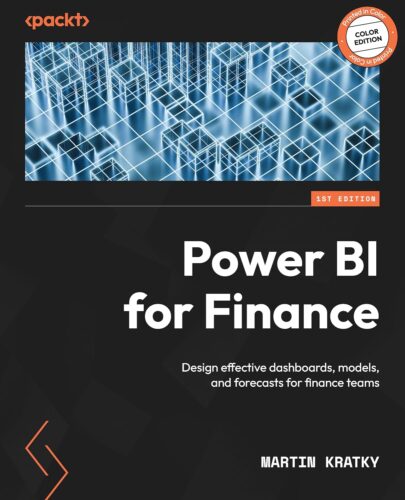
Build effective data models and reports in Power BI for financial planning, budgeting, and valuations with practical templates, logic, and step-by-step guidance.
Free with your book: PDF edition, AI assistant, and next-gen reader.
Key FeaturesEngineer optimal star schema data models for financial planning and analysisImplement common financial logic, calendars, and variance calculationsCreate dynamic, formatted reports for income statements, balance sheets, and cash flowPurchase of the print or Kindle book includes a free PDF eBookBook Description
Martin Kratky brings his global experience of over 20 years as co-founder of Managility and creator of Acterys to empower CFOs and accountants with Power BI for Finance through this hands-on guide to streamlining and enhancing financial processes.
Starting with the foundation of every effective BI solution, a well-designed data model, the book shows you how to structure star schemas and integrate common financial data sources, such as ERP and accounting systems. You’ll then learn to implement key financial logic using DAX and M, covering calendars, KPIs, and variance calculations. The book offers practical advice on creating clear and compliant financial reports, such as income statements, balance sheets, and cash flows, including formatting best practices and visual design tips.
With dedicated chapters on advanced workflows, you’ll learn how to handle multi-currency setups, perform group consolidations, and implement planning models such as rolling forecasts, annual budgets, and sales and operations planning (S&OP). As you advance, you’ll gain insights from real-world case studies covering company valuations, Excel integration, and the use of write-back methods with Dynamics Business Performance Planning and Acterys. The concluding chapters highlight how AI and Copilot enhance financial analytics.
What you will learnApply multi-currency handling and group consolidation techniques in Power BIModel discounted cash flow and company valuation scenariosDesign and manage write-back workflows with Dynamics BPP and ActerysIntegrate Excel and Power BI using live connections and cube formulasUtilize AI, Copilot, and LLMs to enhance automation and insight generationCreate complete finance-focused dashboards for sales and operations planningWho this book is for
This book is for finance professionals including CFOs, FP&A managers, controllers, and certified accountants who want to enhance reporting, planning, and forecasting using Power BI. Basic familiarity with Power BI and financial concepts is recommended to get the most out of this hands-on guide.
Table of ContentsIntroducing Power BI for FinanceFinancial Logic with Power BIBusiness Information DesignHow to Realize Financial Reporting in Power BIIntegrating Excel and Power BI for Financial RequirementsHandling Multi-Currency Requirements in Power BIManagement, Group, and Board ReportingRolling Reporting ForecastsDiscounted Cash Flow Public Company ValuationPrice Volume Mix AnalysisWrite-Back Options in Power BICase Study – Planning ModelAdvanced Analytics and Machine LearningUsing LLMs and Copilot in Power BI to Improve Financial Analysis
ASIN : B0FQJPSQPK
Publisher : Packt Publishing
Accessibility : Learn more
Publication date : November 26, 2025
Edition : 1st
Language : English
File size : 35.1 MB
Screen Reader : Supported
Enhanced typesetting : Enabled
X-Ray : Not Enabled
Word Wise : Enabled
Print length : 422 pages
ISBN-13 : 978-1837631162
Page Flip : Enabled
Best Sellers Rank: #519,941 in Kindle Store (See Top 100 in Kindle Store) #39 in Data Modeling & Design (Books) #78 in Data Modeling & Design (Kindle Store) #230 in Business Software
Customer Reviews: 5.0 5.0 out of 5 stars 3 ratings